Putting a blog under /blog without the CV deploy deleting it
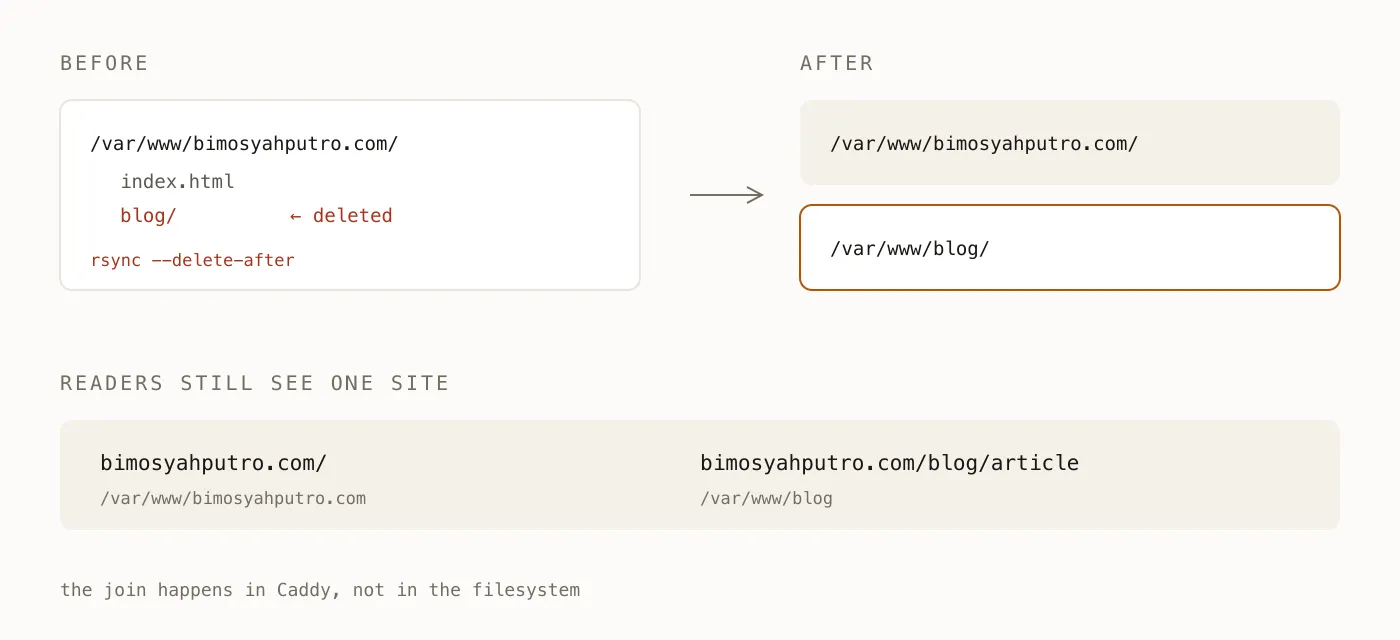
rsync --delete-after removes anything not present in the source. If the blog and the CV share one web root, every CV deploy silently deletes the blog.
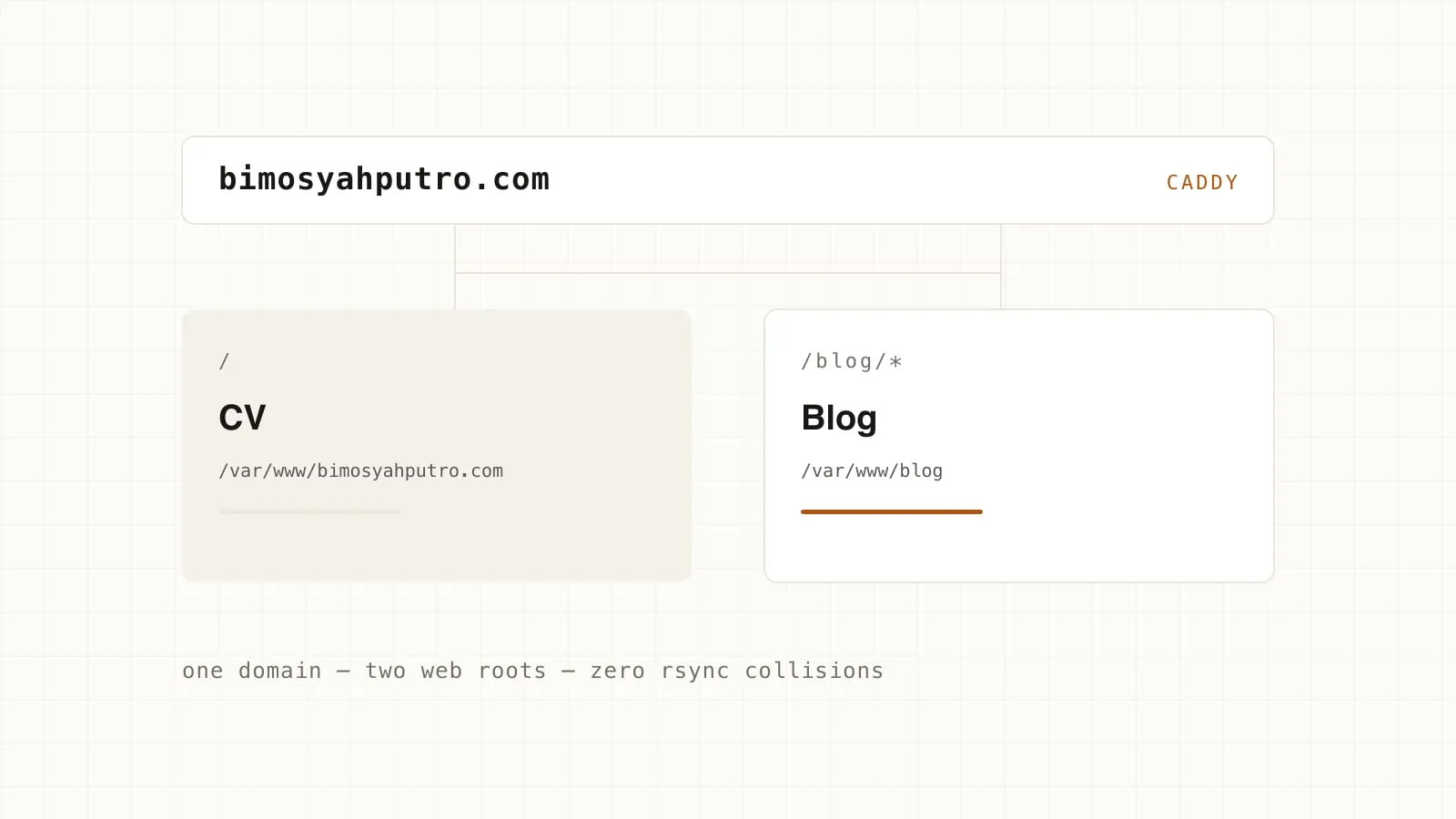
My apex domain serves a static CV. I wanted to add a blog at
bimosyahputro.com/blog — a subdirectory, not a subdomain, so Google counts
it as one site and the authority doesn’t get split.
The most obvious approach looks correct: just put the blog’s build output inside the web root that already exists.
/var/www/bimosyahputro.com/
  index.html          ← CV
  blog/               ← blog
This works. Once. Then it vanishes on the next CV deploy.
Why it vanishes
The CV deploy script contains one unsuspicious line:
rsync -avz --delete-after "$CV_DIR/dist/" "$REMOTE:/var/www/bimosyahputro.com/"--delete-after means: after copying, delete anything at the destination
that does not exist in the source. cv/dist/ has no blog/ folder, so
blog/ isn’t a file that happens to be left over — it is a file that must
be deleted for the destination to match the source. rsync does exactly what
it was asked to do.
What makes this dangerous isn’t the deletion, it’s the way it fails:
- No error. The exit code stays 0.
- The CV deploy still succeeds. What breaks is the part you weren’t looking at.
- You find out when someone shares a link to your article and gets a 404.
The most expensive failures aren’t the loud ones — they’re the ones that wait until you stop paying attention.
The patch that comes to mind first is --exclude=blog. That moves the
system’s correctness into a flag in one file, which every person and every
future script touching that directory has to remember. A rule that only
lives in people’s heads is not a rule.
Separate the directory ownership
The real problem isn’t the rsync flag — it’s two deploy processes writing to the same directory. The fix: give each one its own web root, and join them at the HTTP layer.
bimosyahputro.com {
	encode gzip zstd

	redir /blog /blog/ permanent

	handle_path /blog/* {
		root * /var/www/blog
		try_files {path} {path}.html
		file_server
	}

	handle {
		root * /var/www/bimosyahputro.com
		file_server
	}
}
handle_path strips the /blog prefix before looking up the file, so
/blog/my-article is served as /var/www/blog/my-article.html. The final
handle block catches everything else and serves the CV as before.
Now there is no way for the two deploy scripts to delete each other’s work, because they never touch the same directory:
| Deploy | Writes to | Never touches |
|---|---|---|
deploy.sh |
/var/www/bimosyahputro.com |
/var/www/blog |
deploy-blog.sh |
/var/www/blog |
/var/www/bimosyahputro.com |
What I like about this shape: the safety isn’t the result of being careful. There is nothing to remember. Even if I write a careless third script tomorrow, it still can’t break the others, because the boundary lives in the directory structure, not in a flag.
One more thing about base
Because the blog is served from /blog, Astro has to know that:
export default defineConfig({
  site: "https://bimosyahputro.com",
  base: "/blog",
  build: { format: "file" },
});
base prefixes every asset URL with /blog. Without it, the browser
requests /_astro/index.js, the request falls through to the final handle
block, and the CV answers — with a 404.
site looks optional but isn’t. It’s what makes the canonical URL, the
sitemap, and og:image come out as absolute URLs. WhatsApp’s and LinkedIn’s
scrapers don’t resolve relative paths and don’t run JavaScript. If og:image
comes out as /blog/og/article.png, the link renders as plain text — again
with no error anywhere.